NAV/CRM Connector, CRM->NAV Contacts synchronization issues

toLLto
Member Posts: 34
I'm newbie in CRM 2011. I'm trying to setup synchronization between NAV 2009 R2 and CRM 2011.
NAV->CRM works fine. Now I'm trying to sync Contacts from CRM to NAV and I've huge problems.
1. Existing NAV-Contacts are transferred correctly in both directions. According to the Dynamics Connector manual, every new CRM Contact should be first submitted to be integrated to NAV. I found this Submit button on "ISV" Tab (called "Custom").
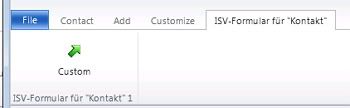
Is there any way to move this button to the Contact Maintab? and change his name to "Submit"?
When I hit this button my new CRM-Contact becomes "Ready to Integration" and a new "Integration Key"

Integration Key is created automaticaly (some characters from Lastname + some numbers), can I change this? In NAV we are using for Contacts another No. Series: 'K100000'-'K199999'. Or will this be replaced after succesfull synchronisation?
My big problem is, that my new CRM-Contacts are not transferred to NAV. I see following Error in CRM Connector (sorry but I see only German-Localized exceptions):
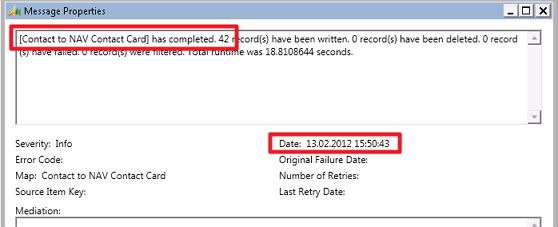
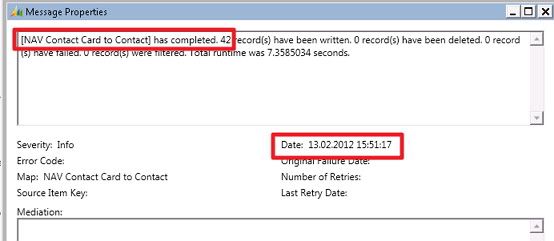
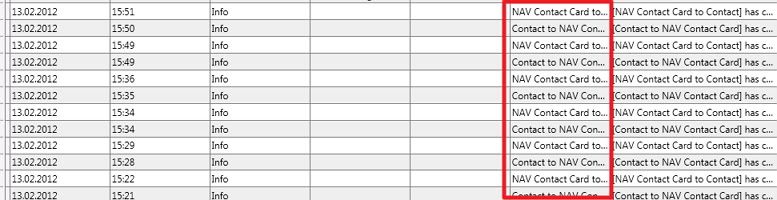
2. In Connector's log I see strange entries, something like infinite loop, some Contacts are transferred in both directions, even if no contacts were changed in NAV or CRM. First 42 Contacts are transferred from CRM to NAV and some seconds later 42 Contacts are transferred from NAV to CRM. This happens again and again.
How to solve this issues?
3. Sometimes I get following Exceptions for my CRM Contact to NAV Contact map:
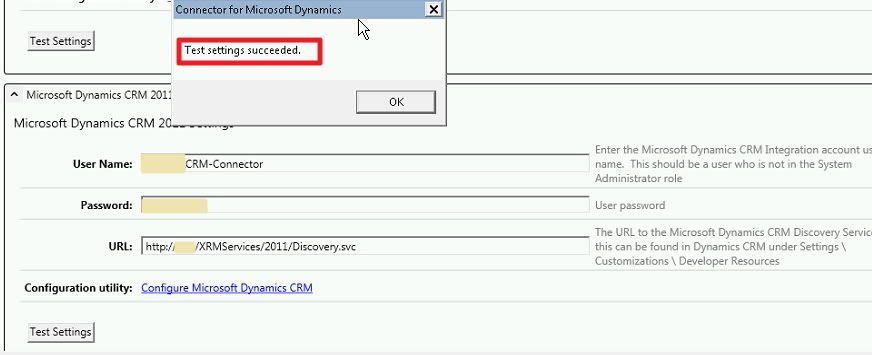
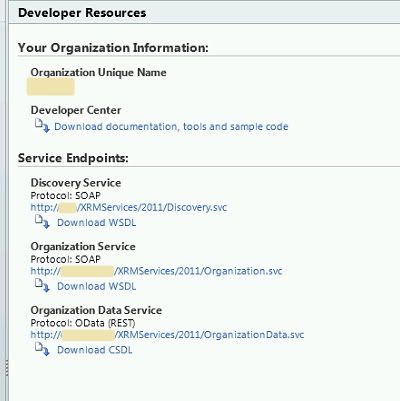
My settings are ok. "Test settings" in Connector, and CRM-Configuration works great.
NAV->CRM works fine. Now I'm trying to sync Contacts from CRM to NAV and I've huge problems.
1. Existing NAV-Contacts are transferred correctly in both directions. According to the Dynamics Connector manual, every new CRM Contact should be first submitted to be integrated to NAV. I found this Submit button on "ISV" Tab (called "Custom").
Is there any way to move this button to the Contact Maintab? and change his name to "Submit"?
When I hit this button my new CRM-Contact becomes "Ready to Integration" and a new "Integration Key"
Integration Key is created automaticaly (some characters from Lastname + some numbers), can I change this? In NAV we are using for Contacts another No. Series: 'K100000'-'K199999'. Or will this be replaced after succesfull synchronisation?
My big problem is, that my new CRM-Contacts are not transferred to NAV. I see following Error in CRM Connector (sorry but I see only German-Localized exceptions):
[Contact to NAV Contact Card] has encountered an error while processing key [620ec2b5-6156-e111-ba06-00155d014105]. Der Clientrückruf (z. B. Seitenanzeige) wird nicht unterstützt, wenn benutzerdefinierte Web Services ausgeführt werden. Soll ein neuer Datensatz angelegt werden?
2. In Connector's log I see strange entries, something like infinite loop, some Contacts are transferred in both directions, even if no contacts were changed in NAV or CRM. First 42 Contacts are transferred from CRM to NAV and some seconds later 42 Contacts are transferred from NAV to CRM. This happens again and again.
How to solve this issues?
3. Sometimes I get following Exceptions for my CRM Contact to NAV Contact map:
[Contact to NAV Contact Card] has encountered an error. Processing will be aborted. Das Kommunikationsobjekt "System.ServiceModel.Channels.HttpChannelFactory+HttpRequestChannel" kann nicht für die Kommunikation verwendet werden, da es abgebrochen wurde.
[Contact to NAV Contact Card] has encountered an error. Processing will be aborted. Die HTTP-Anforderung an "http://xxx/COMPANY/XRMServices/2011/Organization.svc" wurde abgebrochen. Möglicherweise wurde der lokale Kanal geschlossen, während die Anforderung noch durchgeführt wurde. Wenn dieses Verhalten nicht erwünscht ist, aktualisieren Sie den Code dahingehend, dass der Kanal nicht geschlossen wird, solange noch Anforderungsvorgänge durchgeführt werden.
My settings are ok. "Test settings" in Connector, and CRM-Configuration works great.
0
Answers
-
Hi Couple of questions,
1. How you import Connector Solution? Is there same issue with "submit" button on Account and Order forms(are they on main form ribbon or not too)?
2. What CRM 2011 Configuration you using? On-promise with IFD?http://nav-connector.com/ - blog about Dynamics Connector0 -
@Stark:
1. I'm using "Configure MS Dynamics CRM" option in Dynamics Connector. I didn't import anything manually.
In Accounts I see same issue, "Custom" button on ISV Tab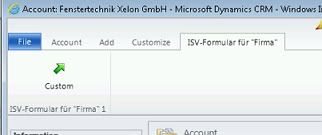
In Order I can see "Submit Order" Button on Order-Tab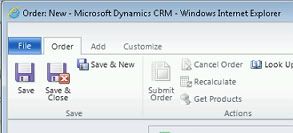
2. We're working with CRM in local intranet, without IFD.
It was upgraded from CRM 4.00 -
I see,
Here is some missing/wrong steps:
- After Connector installation you have to manually import Connector Solution into your CRM and this should be before first settings update.(Solution located in ..Program Files\Connector folder - "ConnectorForMicrosoftDynamicsNav.zip")
- Connector CRM Settings:
FP7 has two different configurations:
CRM - for on-promise and online
CRM 2011 - for IFD
you need to use first configuration (CRM) not the second one.
Small Tip: your Discovery server - just CRM server name
Cheers,
Konstantinhttp://nav-connector.com/ - blog about Dynamics Connector0 -
thanks,
as you suggested, I imported Connector Solution in CRM, and I changed "CRM 2011" adapter to "CRM".
Problem with Submit Button - resolved!
Problem 3) (strange Exceptions) - resolved!
But I still can't sync new CRM-Contacts to NAV. I keep getting the same exception:[Contact to NAV Contact Card] has encountered an error while processing key [b0be7147-3d56-e111-a6b3-00155d014108]. Der Clientrückruf (z. B. Seitenanzeige) wird nicht unterstützt, wenn benutzerdefinierte Web Services ausgeführt werden. Soll ein neuer Datensatz angelegt werden?
Error Code: Microsoft.Dynamics.Integration.Adapters.Nav2009::0x80131501
Map: Contact to NAV Contact Card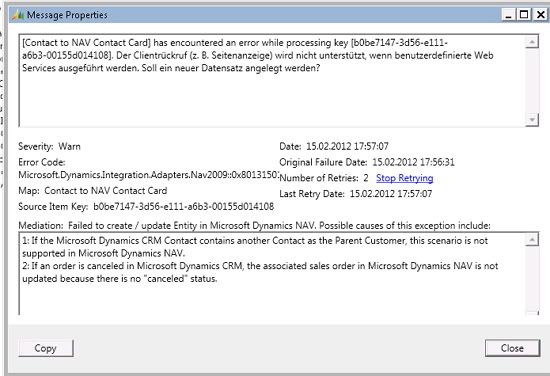
any ideas?0 -
My bad ...
CRM adapters Setting and CRM 2011 Adapter Settings can be used both for CRM 2011 On-promise.
And MSFT suggest to use CRM 2011 Adapter Settings for new integrations. So, you choose correct adapter.
Cheers,
Konstantinhttp://nav-connector.com/ - blog about Dynamics Connector0 -
Hi toLLto,
Is your Client NAV Page customized?http://nav-connector.com/ - blog about Dynamics Connector0 -
Installing Connector solution solved some my problems. Issue with new CRM-Contacts happens in both adapters ("CRM" and "CRM 2011").Stark wrote:CRM adapters Setting and CRM 2011 Adapter Settings can be used both for CRM 2011 On-promise.
And MSFT suggest to use CRM 2011 Adapter Settings for new integrations. So, you choose correct adapter.Stark wrote:Is your Client NAV Page customized?
Hard to say. NAV was installed by another developer. I started a month ago. I don't now if he made any customizations in "5050 Contact Card" Page. I have no other clean NAV Installation, so I can't compare now how looks this page on clean deployment.
Here is my Contact Card:
http://toll.pl/temp/page%205050.fob0 -
Reviewing page not will be really helpful,
My suggestion - create new clean and simple Contact page, include it in Integration and create Map for CRM Contact to NAV Custom Contact. This will allow to see if issue with NAV Page or something else.http://nav-connector.com/ - blog about Dynamics Connector0 -
Stark wrote:create new clean and simple Contact page, include it in Integration and create Map for CRM Contact to NAV Custom Contact. This will allow to see if issue with NAV Page or something else.
I created new Contact Page, as simple as possible: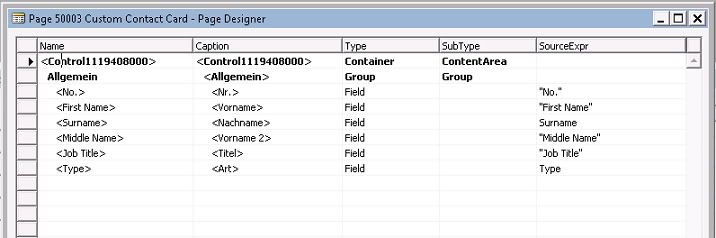
Added new Map in Connector: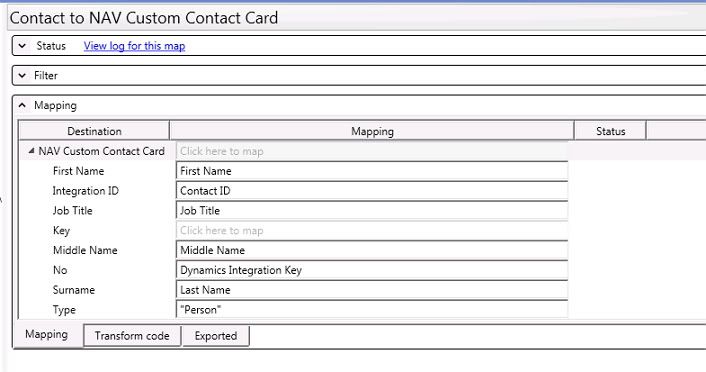
But I'm still getting the same Error:[Contact to NAV Custom Contact Card] has encountered an error while processing key [b0be7147-3d56-e111-a6b3-00155d014108]. Der Clientrückruf (z. B. Seitenanzeige) wird nicht unterstützt, wenn benutzerdefinierte Web Services ausgeführt werden. Soll ein neuer Datensatz angelegt werden?0 -
Problem resolved. This site was helpful: http://msdn.microsoft.com/en-us/library/gg502485.aspxClient callback (such as showing Pages) is not supported when executing custom Web services. <Additional information about the error from the dialog box>
The first error generally occurs because the web service has accessed application code that contains either a Confirm or StrMenu dialog box or a Page type. These types of dialog boxes require user input, which cannot be handled when using the web service. The web service call then includes a detailed message with information from the dialog box, which you can then use to analyze the reason for the callback.
My problem was that in the Contact Table in OnInsert Trigger someone have used a DIALOG.CONFIRM prompt. Because of this connector was unable to insert new records in Contact-Table.OnInsert() IF NOT DIALOG.CONFIRM(LT_Question, TRUE) THEN BEGIN ERROR(''); END;
Thanks for help everyone.
EDIT: you can use GUIALLOWED http://msdn.microsoft.com/en-us/library/dd339064.aspx to show the CONFIRM only if it runs under Classic Client, not under WebServices:IF GUIALLOWED THEN IF NOT DIALOG.CONFIRM(LT_Question, TRUE) THEN BEGIN ERROR(''); END;0 -


Categories
- All Categories
- 75 General
- 75 Announcements
- 66.7K Microsoft Dynamics NAV
- 18.8K NAV Three Tier
- 38.4K NAV/Navision Classic Client
- 3.6K Navision Attain
- 2.4K Navision Financials
- 116 Navision DOS
- 851 Navision e-Commerce
- 1K NAV Tips & Tricks
- 772 NAV Dutch speaking only
- 611 NAV Courses, Exams & Certification
- 2K Microsoft Dynamics-Other
- 1.5K Dynamics AX
- 253 Dynamics CRM
- 103 Dynamics GP
- 6 Dynamics SL
- 1.5K Other
- 991 SQL General
- 383 SQL Performance
- 34 SQL Tips & Tricks
- 28 Design Patterns (General & Best Practices)
- Architectural Patterns
- 9 Design Patterns
- 4 Implementation Patterns
- 53 3rd Party Products, Services & Events
- 1.6K General
- 1K General Chat
- 1.6K Website
- 77 Testing
- 1.2K Download section
- 23 How Tos section
- 249 Feedback
- 12 NAV TechDays 2013 Sessions
- 13 NAV TechDays 2012 Sessions